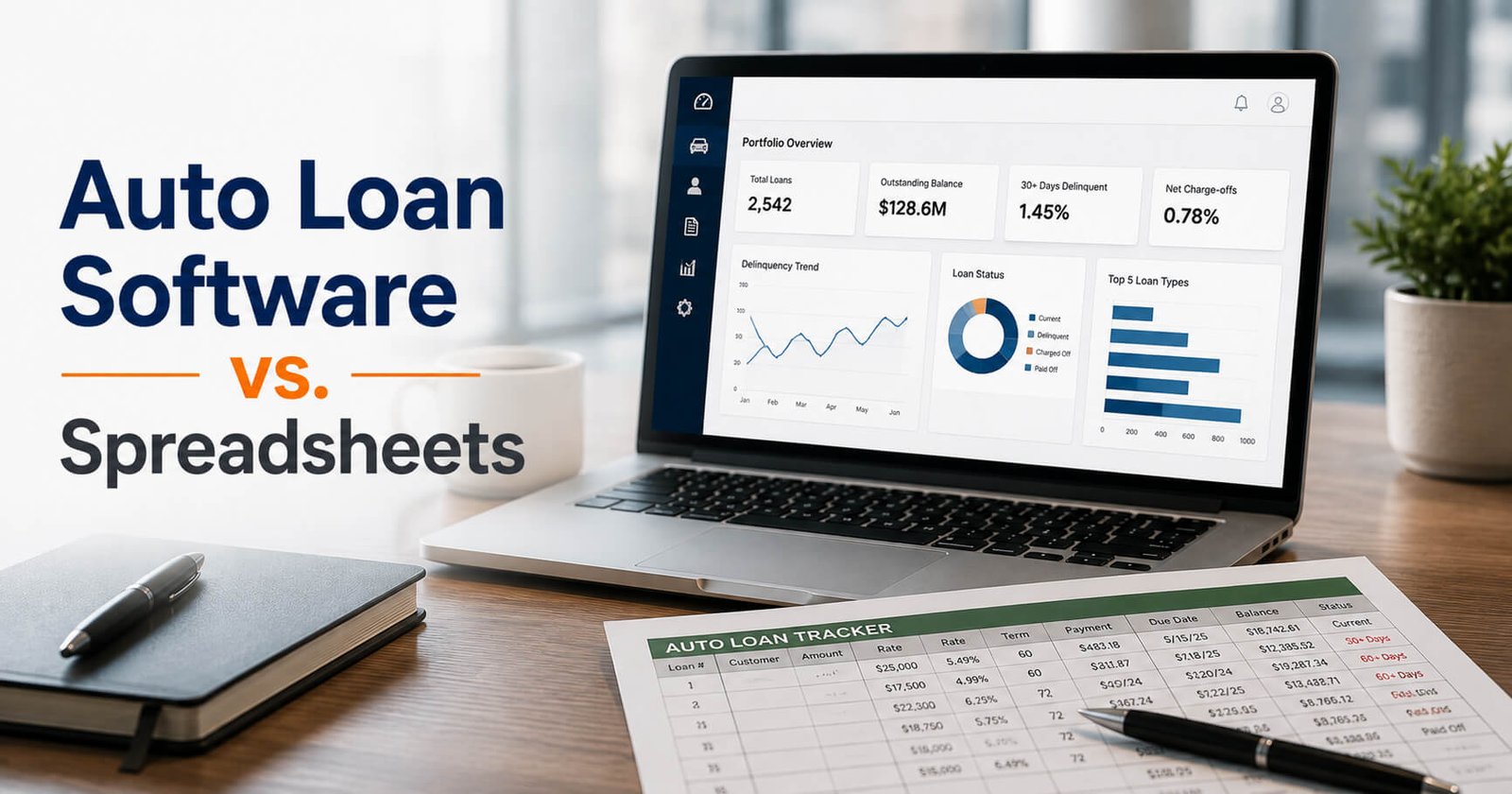
The U.S. auto lending market is massive. In 2025, Americans held approximately $1.54 trillion in auto loan debt, while the average new-vehicle loan reached $43,582, according to Experian.
For car lenders, managing that kind of financial activity requires more than keeping numbers in a spreadsheet.
Spreadsheets may work when a lending operation is small. But as the number of dealers, vehicles, loans, payments, and transactions grows, managing everything manually can become difficult—and errors can become costly. Research from Dartmouth’s Spreadsheet Engineering Research Project found errors in 0.9% to 1.8% of formula cells across 50 operational spreadsheets.
Consider a lender managing 250 dealers with an average of 40 financed vehicles per dealer. That’s 10,000 vehicles to keep track of across loans, VINs, payments, collateral, titles, audits, and reporting. If information is spread across multiple spreadsheets, keeping every record accurate and up to date can quickly become a full-time operational challenge.
So, when does a spreadsheet stop being a practical loan-management tool?
That’s the question behind auto loan management software vs. spreadsheets.
In this guide, we’ll compare both approaches, look at the hidden costs of spreadsheet-based lending, and explain how purpose-built software such as TireKicker 2.0 can help car lenders manage their lending operations more efficiently.
Why Do Car Lenders Still Use Spreadsheets?
Spreadsheets are popular for a reason.
Most teams already know how to use them. A lender can create columns for dealer names, loan amounts, VINs, payment dates, balances, and other information without purchasing specialized software. Spreadsheet templates can also be modified whenever the business changes its process.
For a small lending operation, this flexibility can be useful.
A spreadsheet may be sufficient when:
- The number of loans is relatively small
- Only a few employees need access
- Loan activity is straightforward
- Reporting requirements are limited
- One person can maintain and verify the information
- There are few dealers or financed vehicles to monitor
The problem begins when the spreadsheet becomes the central system for an increasingly complex lending operation.
More dealers mean more records. More vehicles mean more VINs and collateral information. More advances mean more transactions. More transactions mean more opportunities for data-entry mistakes, outdated information, or missed follow-ups.
Eventually, the spreadsheet that once saved time can start consuming it.
Where Spreadsheets Start to Fall Short
Manual Data Entry Creates More Opportunities for Errors
A spreadsheet depends heavily on people entering and updating information correctly.
When loan balances, vehicle information, payments, advances, or dealer records are updated manually, mistakes can happen. A number can be entered incorrectly. A row can be overlooked. A formula can be changed accidentally. A record can remain outdated while another employee works from a different version.
These issues may appear minor individually, but they can become significant when they affect financial information or collateral records.
Purpose-built auto loan management software can centralize information and create structured workflows around important lending activities.
TireKicker 2.0, for example, is designed to connect loans or lines of credit with specific assets and provide tracking for balances, curtailments, adjustments, dealer inventory, and transaction history.
2. Multiple Spreadsheets Can Create Information Silos
One spreadsheet might track loans.
Another might track vehicle inventory.
A third might be used for audits.
Someone else may maintain a separate spreadsheet for payments or dealer information.
This creates a fundamental problem: Which file represents the most current information?
As a lender grows, maintaining multiple versions of the truth becomes increasingly difficult.
A centralized auto loan management system can bring these operational areas together so employees have access to the information relevant to their roles.
3. Tracking Vehicle Inventory Gets More Complicated
Floor-plan lending is closely connected to collateral.
A lender isn’t simply managing an outstanding loan balance. The lender also needs visibility into the assets associated with financing.
That can include vehicle identification numbers, dealer inventory, title information, audit activity, and other collateral-related records.
Trying to manage these details manually can quickly become cumbersome.
TireKicker 2.0 provides inventory tracking by dealer, VIN, or asset type, along with title and collateral management capabilities. The platform is designed specifically around the needs of floor-plan lenders rather than generic loan administration.
4. Reporting Takes More Work
Spreadsheets can produce reports, but creating useful reports often requires manual preparation.
Employees may need to combine data from different files, clean up information, verify formulas, and format the final report.
As the portfolio grows, this process can become a recurring administrative burden.
Dedicated auto loan management software can make reporting more structured. TireKicker 2.0 includes dashboards, scheduled reports, performance tracking by dealer, asset type, or zone, and PDF export capabilities.
That means lenders can spend less time assembling information and more time using it to understand portfolio performance and make decisions.
Auto Loan Management Software vs. Spreadsheets: A Side-by-Side Comparison
The difference between spreadsheets and dedicated auto loan management software becomes more noticeable as a lender’s portfolio grows.
A spreadsheet can organize information, but it generally depends on manual updates, formulas, multiple files, and employee oversight. Purpose-built software is designed to connect lending workflows and provide a centralized view of loans, inventory, payments, collateral, audits, and reporting.
Here’s a side-by-side comparison:
| Capability | Spreadsheets | Auto Loan Management Software |
|---|---|---|
| Loan & advance management | Loans and advances are typically entered and updated manually. | Centralized loan and advance management with structured workflows. |
| Vehicle inventory tracking | Often maintained in separate spreadsheets or worksheets. | Track inventory by dealer, VIN, or asset type. |
| Payment tracking | Requires manual updates and reconciliation. | Centralized payment and billing management. |
| VIN & collateral tracking | Information can be spread across multiple files. | Connect loans with specific vehicles and collateral. |
| Dealer management | Dealer information may be stored in separate files. | Centralized dealer and financing information. |
| Audits & inspections | Usually managed through calendars, spreadsheets, or manual reminders. | Schedule audits, assign inspections, track results, and maintain audit history. |
| Title management | Manual tracking can make missing or outstanding titles harder to monitor. | Track title locations and outstanding or missing titles. |
| Reporting | Reports often require manual filtering, formulas, and formatting. | Dashboards, scheduled reports, and portfolio analytics. |
| Transaction history | Depends on version history and manual recordkeeping. | Built-in activity and transaction history. |
| User access | File-level sharing and permissions. | Role-based access controls. |
| Automation | Limited to spreadsheet formulas and manual processes. | Automates workflows such as billing, alerts, reporting, and audit processes. |
| Scalability | Can become increasingly difficult to maintain as portfolio complexity grows. | Designed to support growing lending operations. |
| Data migration | Requires manual file management. | Supports structured Excel and CSV data imports. |
| Centralized visibility | Information may be distributed across multiple spreadsheets. | Lending information can be managed through one centralized platform. |
What This Means for Car Lenders
The biggest difference isn’t simply spreadsheets vs. software. It’s the difference between managing information manually and managing an interconnected lending operation.
For example, a floor-plan lender may need to know which dealer has a specific vehicle, how much has been advanced against it, whether the vehicle has been audited, where its title is located, and what payments or adjustments are associated with the financing.
With multiple spreadsheets, keeping those records synchronized can require significant manual effort.
With a purpose-built platform such as TireKicker 2.0, these workflows are designed to work together. The platform supports loan and inventory management, billing and payment processing, audit and compliance workflows, title and collateral management, dealer portals, reporting, and activity tracking.
That doesn’t mean spreadsheets have no place in a lending business. They can still be useful for ad-hoc analysis, calculations, and exporting data.
The question is whether a spreadsheet should remain the primary system for managing your auto lending operation as the number of dealers, vehicles, loans, and transactions increases.
For many growing lenders, that’s where dedicated auto loan management software starts to provide a meaningful operational advantage.
The Hidden Cost of Spreadsheet-Based Loan Management
One reason spreadsheets remain attractive is their apparent low cost.
But the price of a spreadsheet doesn’t necessarily represent the total cost of using one.
Consider the time employees spend:
- Updating multiple files
- Checking information for accuracy
- Reconciling records
- Creating reports
- Following up on missing information
- Scheduling audits
- Searching for historical activity
- Communicating information between teams
- Correcting errors
There is also the potential operational cost of outdated or inconsistent information.
For a car lender, better visibility isn’t simply about convenience. It can support better oversight of the portfolio, dealer relationships, and financed collateral.
The goal isn’t to eliminate spreadsheets from every part of a business. Spreadsheets can still be useful for analysis and ad hoc work.
The question is whether a spreadsheet should remain the primary system for managing the lending operation.
For a growing floor-plan lender, that distinction can become increasingly important.
What Should Car Lenders Look for in Auto Loan Management Software?
Not every loan management platform is designed for the same type of lending.
A lender evaluating software should consider whether the platform actually supports the workflows involved in dealer and floor-plan financing.
Important capabilities can include:
Loan and Advance Management
The system should make it easier to create and manage loans or lines of credit while maintaining visibility into balances, adjustments, and related assets.
Inventory and VIN Tracking
For lenders financing dealership inventory, the ability to see financed vehicles by dealer and VIN can be particularly important.
Billing and Payment Processing
The platform should help organize invoices, curtailments, payoffs, fees, and payment activity rather than requiring employees to manage each process manually.
Audit and Compliance Workflows
Lenders need structured processes for inspections, documentation, activity tracking, and compliance-related operations.
Title and Collateral Management
A system should provide visibility into collateral and title-related information so lenders can better monitor the assets securing their financing.
Dealer Portals
Giving dealers secure access to relevant information can reduce back-and-forth communication and make collaboration more efficient.
Reporting and Analytics
Decision-makers should be able to access useful portfolio information without rebuilding reports from multiple spreadsheets every time.
User Permissions and Activity History
Financial data requires appropriate access controls and accountability. TireKicker 2.0 includes role-based user permissions, activity tracking, and audit trails as part of its platform.
When Should a Car Lender Move From Spreadsheets to Software?
There isn’t one specific loan count that means every lender must stop using spreadsheets.
Instead, look for operational warning signs.
It may be time to consider dedicated software when:
- Your portfolio is growing rapidly
- You are adding more dealers
- Employees maintain multiple versions of the same information
- Reporting takes significant staff time
- Vehicle and VIN tracking is becoming difficult
- Audit scheduling is increasingly manual
- Payment or billing processes require repeated data entry
- Employees struggle to find historical information
- You need better visibility into portfolio performance
- Your current process depends heavily on one employee’s knowledge
The right time to transition is usually before spreadsheet limitations become a serious operational problem.
Why TireKicker 2.0 Is Built Differently
TireKicker 2.0 was developed specifically for floor-plan lenders rather than as a generic loan management application.
According to FloorPlanLender, the platform builds on 25 years of floor-plan lending experience and was rebuilt as a cloud-based SaaS platform for modern lenders. Its capabilities include loan and inventory management, billing and payment processing, audit and compliance workflows, title and collateral management, dealer portals, zone management, reporting, analytics, and data migration.
That purpose-built approach matters.
Instead of forcing a lender to adapt a generic spreadsheet or general-purpose loan system to floor-plan financing, TireKicker 2.0 is designed around the relationships between lenders, dealers, loans, vehicles, collateral, audits, and payments.
The platform also supports Excel and CSV data imports, which can help lenders transition historical information from legacy systems or spreadsheets rather than starting from scratch.
For lenders looking to move away from spreadsheet-based processes, that can make the transition more practical.
Auto Loan Management Software vs. Spreadsheets: Which Is Better?
The answer depends on your lending operation.
If you manage a small number of loans and have simple processes, a spreadsheet may continue to meet your basic needs.
But as your business grows, the limitations of manual processes become more apparent.
Auto loan management software can provide a centralized environment for managing loans, vehicles, dealers, payments, audits, collateral, and reporting. Instead of depending on multiple files and manual processes, lenders can create more consistent workflows and gain greater visibility into their operations.
For floor-plan lenders in particular, the software should go beyond basic loan servicing.
It should understand the connection between the loan, the dealer, the vehicle, and the collateral.
That’s where a purpose-built platform such as TireKicker 2.0 can provide a different approach to loan and inventory management.
The Bottom Line
Spreadsheets aren’t inherently bad. They’re flexible, familiar, and useful for many business tasks.
The challenge is using them as the primary system for an increasingly complex auto lending operation.
When your team is spending more time maintaining spreadsheets, reconciling information, creating reports, tracking inventory, and searching for records, it may be time to consider a dedicated solution.
Auto loan management software vs. spreadsheets isn’t really a question of old technology versus new technology. It’s a question of whether your systems can keep up with the complexity of your lending business.
For car lenders managing dealer financing and floor-plan portfolios, TireKicker 2.0 provides a purpose-built, cloud-based platform designed to bring loan management, inventory, billing, payments, audits, collateral, and reporting into one system.
If your current spreadsheet-based process is becoming harder to manage, it may be time to see what a dedicated auto loan management platform can do.
Ready to move beyond spreadsheets? Explore TireKicker 2.0 and see how purpose-built software can help you take greater control of your floor-plan lending operation.


